what does it mean to burn a cd
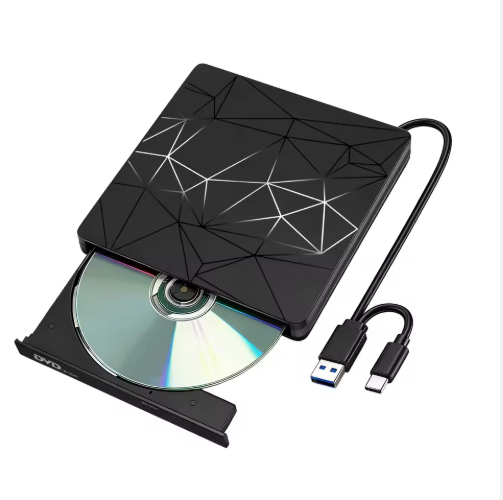
In an era dominated by streaming services and USB drives, the term might feel a bit outdated—but it’s still a useful concept to understand, especially if you’re into retro tech or need to create physical media for specific purposes. Let’s break down the basics: what does it mean to burn a CD, and what role does a CD burner play in the process?
First, let’s answer the core question: What does it mean to burn a CD? Contrary to what the word “burn” might suggest, it’s not about setting the disc on fire. Instead, “burning” refers to the process of writing digital data (like music, videos, documents, or software) onto a blank CD-R (Compact Disc Recordable) or CD-RW (Compact Disc Rewritable) using a specialized device. The term “burn” comes from the physical mechanism behind the process: the CD burner uses a laser to “burn” tiny, permanent pits into the disc’s reflective surface. These pits represent the binary code (1s and 0s) that computers and media players can read to access the stored data.
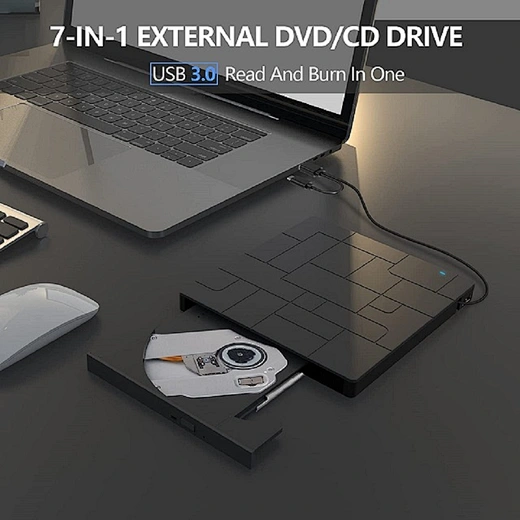
Now, let’s talk about the key tool here: the CD burner. A CD burner (also called a CD writer or optical disc drive) is the hardware device responsible for burning the data onto the CD. Early CD burners were separate external devices, but for much of the 2000s and 2010s, they were standard built-in components in laptops and desktop computers. Today, you’ll mostly find external CD burners that connect to computers via USB, since modern devices often omit built-in optical drives to save space.

How does a CD burner work, exactly? When you start the burning process, the software you’re using (like Nero, Windows Media Player, or iTunes) sends the data to the CD burner. The burner then uses a high-intensity laser to heat specific areas of the CD’s recording layer—a thin, photosensitive material. This heating creates the small pits we mentioned earlier. For CD-Rs, these pits are permanent: once you burn data onto a CD-R, you can’t erase or rewrite it. CD-RWs, on the other hand, use a different type of recording layer that can be melted and reformed, allowing you to erase and rewrite data multiple times (though the number of rewrites is limited, usually around 1,000 times).
Why would someone still burn a CD today? While digital media is more convenient, there are several use cases. For example, musicians might burn CDs to distribute demo tracks to venues or fans. DJs sometimes use burned CDs for gigs if their equipment doesn’t support digital files. Additionally, some older cars, stereos, or gaming consoles only play physical CDs. Burning a CD is also a simple way to back up small amounts of important data (though CDs have a relatively small storage capacity—around 700 MB, compared to USB drives that hold 32 GB or more).
If you’re interested in trying to burn a CD yourself, here’s a quick overview of the steps: First, you’ll need a blank CD-R or CD-RW, a CD burner (internal or external), and burning software. Next, open the software, select the type of disc you want to create (e.g., audio CD, data CD), add the files you want to burn, and then click the “burn” button. The software will handle the rest, converting the files into a format the CD can read and directing the burner to create the pits on the disc. Just be sure not to interrupt the process—if the burning is stopped mid-way, the CD will likely be unreadable.
In summary, burning a CD is simply the process of writing digital data onto a blank CD using a laser-equipped CD burner. While it’s not as common as it once was, it’s still a valuable skill for anyone working with retro tech or needing physical media. The next time you hear someone mention “burning a CD,” you’ll know exactly what they’re talking about!
what are ring lights
how does a floppy drive work