can external cd drives play games
But many gamers still have a collection of classic CD-based games, or they encounter older titles that only come in disc format. This raises a common question: Can external CD drives play games? The short answer is yes—but there are important caveats to consider before you plug in an external CD drive and fire up your favorite retro game.
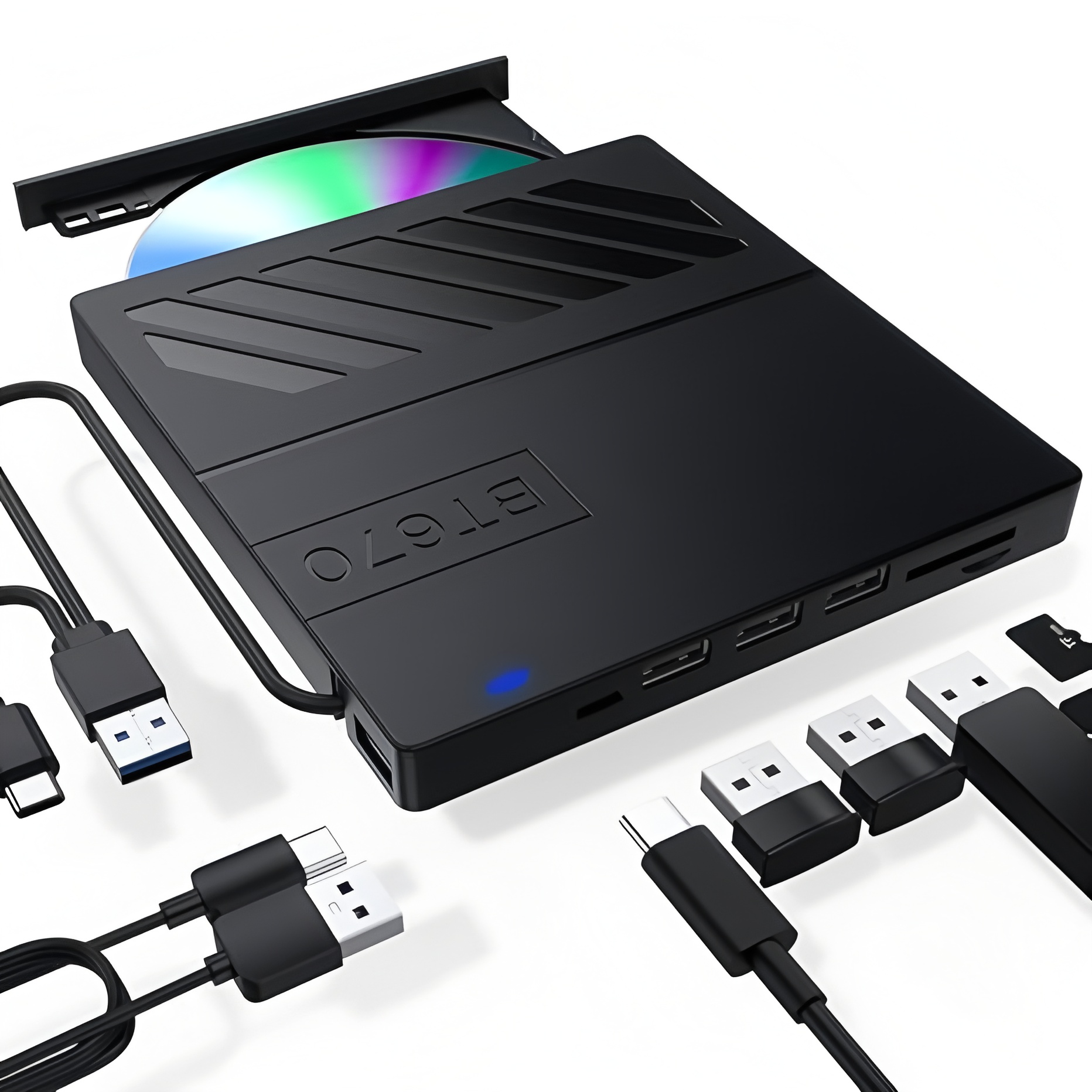
First, let’s clarify the basics: An external CD drive is a portable optical disc drive that connects to a computer (laptop, desktop, or even some tablets) via USB, USB-C, or Thunderbolt. Unlike internal CD drives, which are built into older computers, external models are plug-and-play for most modern devices that lack a built-in optical drive. Their primary function is to read data from CDs, DVDs, or Blu-rays (depending on the model), and since game CDs are just a type of data disc, an external CD drive can technically read them.

So, when does an external CD drive work for playing games? The key factor here is the game’s compatibility with your operating system and the drive itself. Most older games—think early 2000s PC titles released on CD—were designed to run from physical discs. As long as your computer meets the game’s minimum system requirements, and the external CD drive is compatible with your OS (Windows, macOS, etc.), you should be able to install and play the game by inserting the CD into the external drive.
For example, if you have a copy of *The Sims* (2000), *Diablo II* (2000), or other classic CD-based PC games, connecting an external CD drive to your modern laptop will let you install the game directly from the disc. Many of these older games don’t require an internet connection for installation, so the external drive acts as the sole source of game data. Some games might even require the CD to be in the drive during gameplay (a common anti-piracy measure back then), so keeping the external drive connected while playing is necessary in those cases.
However, there are scenarios where an external CD drive won’t work for playing games. The biggest issue is compatibility with modern operating systems. Many older CD games were built for Windows XP or Windows 98, and they won’t run natively on Windows 10, 11, or macOS Ventura/Sonoma. Even if the external CD drive reads the disc, the game’s code might not be compatible with 64-bit operating systems (most modern OS are 64-bit, while older games were 32-bit). In these cases, you might need to use compatibility mode (on Windows) or third-party software like Wine (on macOS/Linux) to get the game running—but the external CD drive itself is still capable of reading the disc.

Another limitation is that modern games rarely use CDs anymore. Most new titles are digital-only, available on platforms like Steam, Epic Games Store, or PlayStation Store. Even if a new game does come in physical format, it’s usually on a Blu-ray disc (for consoles like PlayStation 5 or Xbox Series X/S), which requires an external Blu-ray drive (not just a CD drive) to read. So, an external CD drive is mostly useful for retro games, not new releases.
When choosing an external CD drive for gaming, there are a few things to look for. First, make sure it’s compatible with your operating system—most drives work with Windows and macOS, but it’s always good to check the manufacturer’s specs. Second, opt for a drive with a fast read speed (measured in x, e.g., 24x CD read speed) to ensure smooth installation and gameplay. Finally, if you have a mix of CD and DVD games, choose an external CD/DVD combo drive to cover all your bases.
In conclusion, external CD drives can play games—but only older CD-based titles that are compatible with your operating system. They’re a great solution for gamers looking to revisit classic PC games from their physical collection, as they let you bypass the lack of a built-in optical drive on modern computers. Just remember to check game compatibility, choose the right drive, and be prepared to use compatibility tools if needed. So, if you’ve been holding onto that stack of old game CDs, an external CD drive might be the key to bringing those retro adventures back to life.
how to use neck beauty device
how to eject cd from mac external drive