how do i use a selfie stick
author: LJ
2026-02-03
A Selfie Stick is one of the most versatile gadgets for travelers, social media creators, and anyone who wants to capture stunning group photos, scenic self-portraits, or hands-free videos. But if you’re new to using one, you might be asking: how do i use a selfie stick? The good news is, using a Selfie Stick is quick and easy—once you know the basics of setup, pairing, and positioning. This 2025 news guide breaks down the step-by-step process for all types of Selfie Sticks (Bluetooth, wired, tripod combo), shares pro tips for flattering shots, troubleshoots common issues, and helps you get the most out of your gadget.
First: Know Your Selfie Stick Type (3 Common Models)
Before learning how do i use a selfie stick, it’s important to identify your Selfie Stick type—most models fall into three categories, and setup varies slightly for each:
Bluetooth Selfie Stick: The most popular type—has a built-in or detachable Bluetooth remote. No wires needed; pairs directly with your phone. Ideal for hands-free shooting.Wired Selfie Stick: Connects to your phone via a 3.5mm audio jack or USB-C port. No pairing required—plug and play. Great for older phones without Bluetooth or for users who want to avoid battery life issues.Selfie Stick + Tripod Combo: A 2-in-1 gadget that extends as aSelfie Stick and folds into a tripod for stable shots (perfect for videos, group photos, or long exposures). Most are Bluetooth-enabled.
Bluetooth Selfie Stick: The most popular type—has a built-in or detachable Bluetooth remote. No wires needed; pairs directly with your phone. Ideal for hands-free shooting.Wired Selfie Stick: Connects to your phone via a 3.5mm audio jack or USB-C port. No pairing required—plug and play. Great for older phones without Bluetooth or for users who want to avoid battery life issues.Selfie Stick + Tripod Combo: A 2-in-1 gadget that extends as aSelfie Stick and folds into a tripod for stable shots (perfect for videos, group photos, or long exposures). Most are Bluetooth-enabled.
Pro Tip: Regardless of type, always check that your Selfie Stick is compatible with your phone size (most fit phones 4–7 inches, even with cases) and has a secure clamp to avoid drops.
Step-by-Step: How Do I Use a Selfie Stick? (All Types)
Follow these core steps to use any Selfie Stick—we’ll break down variations for Bluetooth, wired, and tripod combo models below:
1. Charge Your Selfie Stick (If Needed)Most Bluetooth Selfie Sticks and tripod combos have a rechargeable battery (via USB-C or micro-USB). Before use:
Plug the charging cable into the Selfie Stick and a power source (phone charger, power bank, laptop).Wait until the LED indicator light turns green (fully charged)—most Selfie Sticks take 1–2 hours to charge and last 8–12 hours of use.Unplug the cable—never use your Selfie Stick while charging (it can cause overheating or connection issues).
1. Charge Your Selfie Stick (If Needed)Most Bluetooth Selfie Sticks and tripod combos have a rechargeable battery (via USB-C or micro-USB). Before use:
Plug the charging cable into the Selfie Stick and a power source (phone charger, power bank, laptop).Wait until the LED indicator light turns green (fully charged)—most Selfie Sticks take 1–2 hours to charge and last 8–12 hours of use.Unplug the cable—never use your Selfie Stick while charging (it can cause overheating or connection issues).
Wired Selfie Sticks don’t need charging—skip this step!
2. Secure Your Phone to the Selfie Stick
This is the most important step to avoid dropping your phone. Follow these steps for all Selfie Sticks:
Locate the phone clamp on the top of your Selfie Stick—it’s usually adjustable (twist the knob or press the release button to open).Open the clamp wide enough to fit your phone (with its case, if you use one—most Selfie Sticks accommodate cases up to 3mm thick).Place your phone in the center of the clamp, ensuring the camera is facing outward (for selfies) or inward (for group shots/videos).Tighten the clamp securely—give your phone a gentle tug to make sure it doesn’t move. Never over-tighten (it can damage your phone’s frame).Optional: If your Selfie Stick has a safety strap, attach it to your phone or wrist for extra security (perfect for travel or outdoor use).
Locate the phone clamp on the top of your Selfie Stick—it’s usually adjustable (twist the knob or press the release button to open).Open the clamp wide enough to fit your phone (with its case, if you use one—most Selfie Sticks accommodate cases up to 3mm thick).Place your phone in the center of the clamp, ensuring the camera is facing outward (for selfies) or inward (for group shots/videos).Tighten the clamp securely—give your phone a gentle tug to make sure it doesn’t move. Never over-tighten (it can damage your phone’s frame).Optional: If your Selfie Stick has a safety strap, attach it to your phone or wrist for extra security (perfect for travel or outdoor use).
3. Pair/Connect Your Selfie Stick to Your Phone
This step varies by Selfie Stick type—follow the instructions for your model:
For Bluetooth Selfie Sticks:Turn on your Selfie Stick’s Bluetooth: Press and hold the power button (usually on the handle) for 2–3 seconds until the LED light flashes (blue or red).On your phone, open Settings > Bluetooth and toggle it on.Your phone will scan for nearby devices—look for your Selfie Stick (it may show as “Selfie Stick,” “BT Shutter,” or the brand name, e.g., “UBeesize Selfie Stick”).Tap the Selfie Stick name to pair—you’ll hear a beep (or see a “Connected” message on your phone) when pairing is complete. The LED light will stop flashing and stay solid.For Wired Selfie Sticks:Plug the Selfie Stick’s audio jack or USB-C connector into your phone’s corresponding port.Your phone will automatically recognize the Selfie Stick—no extra pairing needed. A small icon (headphones or remote) may appear in your phone’s status bar.For Selfie Stick + Tripod Combos:Follow the Bluetooth pairing steps above (most combos are Bluetooth-enabled).To use the tripod mode: Unfold the Selfie Stick’s legs until they lock into place (look for click sounds). Place the tripod on a flat surface for stable shots.
For Bluetooth Selfie Sticks:Turn on your Selfie Stick’s Bluetooth: Press and hold the power button (usually on the handle) for 2–3 seconds until the LED light flashes (blue or red).On your phone, open Settings > Bluetooth and toggle it on.Your phone will scan for nearby devices—look for your Selfie Stick (it may show as “Selfie Stick,” “BT Shutter,” or the brand name, e.g., “UBeesize Selfie Stick”).Tap the Selfie Stick name to pair—you’ll hear a beep (or see a “Connected” message on your phone) when pairing is complete. The LED light will stop flashing and stay solid.For Wired Selfie Sticks:Plug the Selfie Stick’s audio jack or USB-C connector into your phone’s corresponding port.Your phone will automatically recognize the Selfie Stick—no extra pairing needed. A small icon (headphones or remote) may appear in your phone’s status bar.For Selfie Stick + Tripod Combos:Follow the Bluetooth pairing steps above (most combos are Bluetooth-enabled).To use the tripod mode: Unfold the Selfie Stick’s legs until they lock into place (look for click sounds). Place the tripod on a flat surface for stable shots.
4. Extend and Angle the Selfie Stick for Perfect Shots
Now that your Selfie Stick is set up, it’s time to frame your shot. Here’s how to extend and angle it like a pro:
Extend the Selfie Stick’s telescopic pole: Twist or pull the sections (most have 3–5 extendable parts) to your desired length. Avoid extending it fully (it may become wobbly)—leave 1–2 sections collapsed for stability.Adjust the angle: Most Selfie Sticks have a 360° rotatable phone clamp—twist it to frame your shot (portrait mode for selfies, landscape mode for group shots/scenery).Hold the Selfie Stick at eye level or slightly above (never below—this creates unflattering chin and nose shadows). For group shots, extend the stick fully and angle it slightly downward to fit everyone in the frame.
Extend the Selfie Stick’s telescopic pole: Twist or pull the sections (most have 3–5 extendable parts) to your desired length. Avoid extending it fully (it may become wobbly)—leave 1–2 sections collapsed for stability.Adjust the angle: Most Selfie Sticks have a 360° rotatable phone clamp—twist it to frame your shot (portrait mode for selfies, landscape mode for group shots/scenery).Hold the Selfie Stick at eye level or slightly above (never below—this creates unflattering chin and nose shadows). For group shots, extend the stick fully and angle it slightly downward to fit everyone in the frame.
5. Take Photos/Videos with Your Selfie Stick
The final step in how do i use a selfie stick is capturing your shot—here’s how to do it with different models:
Bluetooth Selfie Stick: Press the shutter button on the Selfie Stick’s handle (or detachable remote) to take photos. Press and hold the button to record videos (check your phone’s camera app settings to confirm).Wired Selfie Stick: Press the button on the handle—this triggers your phone’s camera shutter (works with most default camera apps).Tripod Combo: Place the tripod on a flat surface, frame your shot, and use the remote to take hands-free photos/videos (perfect for long exposures, group shots, or vlogs).
Bluetooth Selfie Stick: Press the shutter button on the Selfie Stick’s handle (or detachable remote) to take photos. Press and hold the button to record videos (check your phone’s camera app settings to confirm).Wired Selfie Stick: Press the button on the handle—this triggers your phone’s camera shutter (works with most default camera apps).Tripod Combo: Place the tripod on a flat surface, frame your shot, and use the remote to take hands-free photos/videos (perfect for long exposures, group shots, or vlogs).
Pro Tip: Use your phone’s timer (3s/10s) as a backup if your Selfie Stick’s remote stops working—this lets you frame the shot and step into it before the photo is taken.

Pro Tips for Using a Selfie Stick (Flattering Shots Every Time)
Now that you know how do i use a selfie stick, use these expert tips to elevate your photos and avoid common mistakes:
Avoid the “Fish-Eye” Effect: Don’t extend yourSelfie Stick too close to your face—keep it at least 12–18 inches away to avoid distorting features (e.g., big noses, small foreheads).Use Natural Light: Take photos in natural light (golden hour—1 hour after sunrise/1 hour before sunset) for flattering skin tones. Avoid harsh midday sun (it causes shadows) or dim indoor light (blurry photos).Frame with a Backdrop: For travel selfies, angle your Selfie Stick to include the scenery (mountains, beaches, landmarks) behind you—don’t just focus on your face.Stabilize for Videos: Use the tripod mode on your Selfie Stick for smooth videos. If you don’t have a tripod combo, hold the stick with two hands and keep your elbows close to your body.Clean Your Lens: Fingerprints or dust on your phone’s lens will make photos blurry—wipe it with a soft cloth before using your Selfie Stick.Respect Others: When using a Selfie Stick in crowded areas (museums, concerts, tourist spots), be mindful of people around you—don’t block paths or disturb others.
Avoid the “Fish-Eye” Effect: Don’t extend yourSelfie Stick too close to your face—keep it at least 12–18 inches away to avoid distorting features (e.g., big noses, small foreheads).Use Natural Light: Take photos in natural light (golden hour—1 hour after sunrise/1 hour before sunset) for flattering skin tones. Avoid harsh midday sun (it causes shadows) or dim indoor light (blurry photos).Frame with a Backdrop: For travel selfies, angle your Selfie Stick to include the scenery (mountains, beaches, landmarks) behind you—don’t just focus on your face.Stabilize for Videos: Use the tripod mode on your Selfie Stick for smooth videos. If you don’t have a tripod combo, hold the stick with two hands and keep your elbows close to your body.Clean Your Lens: Fingerprints or dust on your phone’s lens will make photos blurry—wipe it with a soft cloth before using your Selfie Stick.Respect Others: When using a Selfie Stick in crowded areas (museums, concerts, tourist spots), be mindful of people around you—don’t block paths or disturb others.
Troubleshooting Common Selfie Stick Issues
If you’re having trouble using your Selfie Stick, try these quick fixes (based on user feedback and brand support):
Bluetooth Won’t Pair: Ensure your Selfie Stick is charged, turn Bluetooth off/on on your phone, and disconnect other Bluetooth devices (headphones, smartwatches) that may be interfering. If it still won’t pair, reset your Selfie Stick (press and hold the power button for 10 seconds).Remote Shutter Not Working: Check if your Selfie Stick is connected (LED light solid), open your phone’s default camera app (third-party apps may not support the remote), or restart your phone. For wired sticks, ensure the cable is plugged in securely.Phone Wobbles in the Clamp: Tighten the clamp more (gently!), remove your phone’s bulky case (if needed), or ensure the phone is centered in the clamp. Use the safety strap for extra security.Selfie Stick Is Unstable: Avoid extending the pole fully—leave 1–2 sections collapsed. Hold the stick with two hands for photos, or use the tripod mode if available.Battery Dies Quickly: Charge your Selfie Stick fully before use, turn it off when not in use (press and hold the power button for 2 seconds), and avoid using it in extreme temperatures (hot/cold drains battery faster).
Bluetooth Won’t Pair: Ensure your Selfie Stick is charged, turn Bluetooth off/on on your phone, and disconnect other Bluetooth devices (headphones, smartwatches) that may be interfering. If it still won’t pair, reset your Selfie Stick (press and hold the power button for 10 seconds).Remote Shutter Not Working: Check if your Selfie Stick is connected (LED light solid), open your phone’s default camera app (third-party apps may not support the remote), or restart your phone. For wired sticks, ensure the cable is plugged in securely.Phone Wobbles in the Clamp: Tighten the clamp more (gently!), remove your phone’s bulky case (if needed), or ensure the phone is centered in the clamp. Use the safety strap for extra security.Selfie Stick Is Unstable: Avoid extending the pole fully—leave 1–2 sections collapsed. Hold the stick with two hands for photos, or use the tripod mode if available.Battery Dies Quickly: Charge your Selfie Stick fully before use, turn it off when not in use (press and hold the power button for 2 seconds), and avoid using it in extreme temperatures (hot/cold drains battery faster).
FAQ: Common Questions About How Do I Use a Selfie Stick
Q: How do I use a selfie stick with my iPhone/Android?
A: Using a Selfie Stick with iPhone or Android is nearly identical: Secure your phone in the clamp, pair Bluetooth (for wireless models) or plug in the cable (wired), extend the stick, and press the remote shutter. For iPhones, ensure Bluetooth is enabled in Settings > Bluetooth; for Androids, go to Settings > Connected Devices > Bluetooth. Most Selfie Sticks work with both iOS and Android.
Q: Can I use a selfie stick with a phone case?
A: Yes! Most Selfie Stick clamps fit phones with cases (up to 3mm thick). If your case is bulky (e.g., OtterBox), check the Selfie Stick’s product specs to confirm compatibility—some models have wider clamps for thick cases.
Q: How do I use a selfie stick without Bluetooth?
A: Use a wired Selfie Stick (plugs into your phone’s audio jack/USB-C port) or a Bluetooth-free model with a built-in shutter button that triggers via your phone’s camera app. You can also use your phone’s timer as a backup—extend the Selfie Stick, set the timer, and frame your shot before the photo is taken.
Q: Is it safe to use a selfie stick in public?
A: Yes, as long as you’re mindful of others. Avoid using your Selfie Stick in crowded areas where it may hit people or block paths. Some locations (museums, stadiums, national parks) ban Selfie Sticks—check signs or rules before using it.
Q: How do I use a selfie stick tripod combo for videos?
A: Unfold the Selfie Stick’s legs into tripod mode (lock them into place), secure your phone in the clamp, frame your video (use landscape mode for best results), and press the remote shutter to start recording. The tripod keeps your phone stable, eliminating shaky footage—perfect for vlogs, tutorials, or group videos.
Final Thoughts: Master Your Selfie Stick Today
Learning how do i use a selfie stick is a simple process that opens up a world of photo and video possibilities. Whether you’re using a Bluetooth model, wired stick, or tripod combo, the key steps are: charge (if needed), secure your phone, pair/connect, frame your shot, and capture the moment. With the pro tips and troubleshooting advice in this guide, you’ll avoid common mistakes and snap perfect shots every time—whether you’re traveling, hanging out with friends, or creating content for social media.
Remember, the best way to get better at using aSelfie Stick is to practice—experiment with angles, lighting, and extension lengths to find what works for you. A well-used Selfie Stick is more than just a gadget—it’s a tool to capture memories that you’ll cherish for years to come.
Q: How do I use a selfie stick without Bluetooth?
A: Use a wired Selfie Stick (plugs into your phone’s audio jack/USB-C port) or a Bluetooth-free model with a built-in shutter button that triggers via your phone’s camera app. You can also use your phone’s timer as a backup—extend the Selfie Stick, set the timer, and frame your shot before the photo is taken.
Q: Is it safe to use a selfie stick in public?
A: Yes, as long as you’re mindful of others. Avoid using your Selfie Stick in crowded areas where it may hit people or block paths. Some locations (museums, stadiums, national parks) ban Selfie Sticks—check signs or rules before using it.
Q: How do I use a selfie stick tripod combo for videos?
A: Unfold the Selfie Stick’s legs into tripod mode (lock them into place), secure your phone in the clamp, frame your video (use landscape mode for best results), and press the remote shutter to start recording. The tripod keeps your phone stable, eliminating shaky footage—perfect for vlogs, tutorials, or group videos.
Final Thoughts: Master Your Selfie Stick Today
Learning how do i use a selfie stick is a simple process that opens up a world of photo and video possibilities. Whether you’re using a Bluetooth model, wired stick, or tripod combo, the key steps are: charge (if needed), secure your phone, pair/connect, frame your shot, and capture the moment. With the pro tips and troubleshooting advice in this guide, you’ll avoid common mistakes and snap perfect shots every time—whether you’re traveling, hanging out with friends, or creating content for social media.
Remember, the best way to get better at using aSelfie Stick is to practice—experiment with angles, lighting, and extension lengths to find what works for you. A well-used Selfie Stick is more than just a gadget—it’s a tool to capture memories that you’ll cherish for years to come.
how to attach camera to tripod
how to make a light box for photography
Related Article
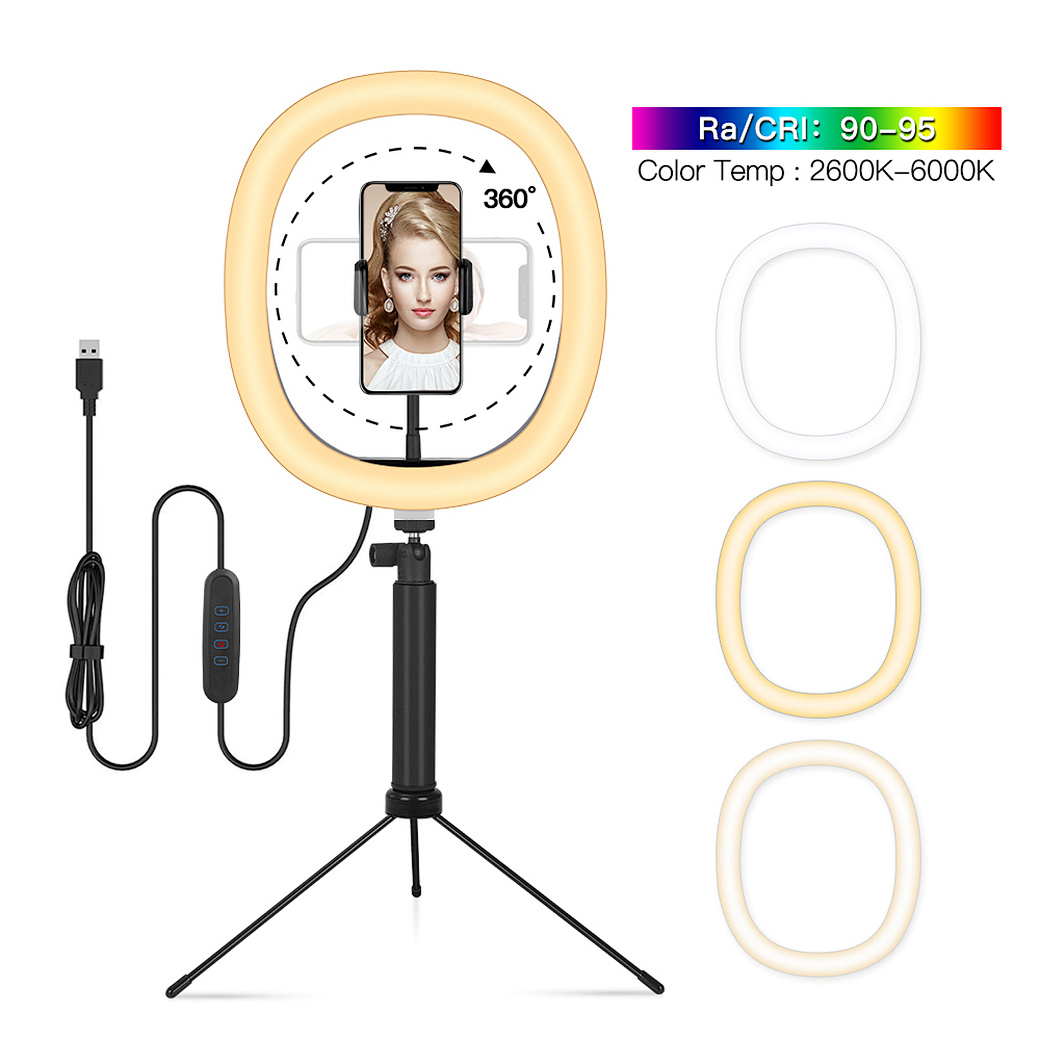
Confused about how to fix half moon wall light? Our simple quick tips help you troubleshoot common issues and get your cozy fixture working again fast.
how to fix half moon wall light
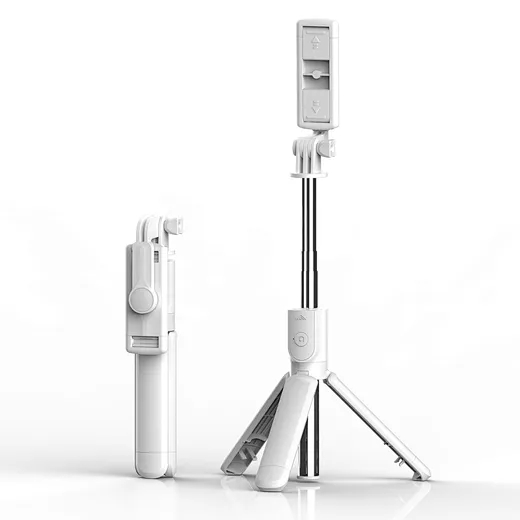
In the age of TikTok, Instagram Reels, and 24/7 live broadcasting, the Selfie Stick has evolved from a "tourist gadget" into an essential professional tool.
who invented selfie stick