how to put a camera on a tripod
author: LJ
2026-02-06
Camera Tripod is the ultimate tool for sharp, shake-free photos and smooth videos—whether you’re shooting landscapes, self-portraits, or long exposures. But if you’re new to photography, figuring out how to put a camera on a tripod can feel tricky at first. The good news? It’s a simple, 5-step process that works for all cameras (DSLR, mirrorless, point-and-shoot) and every standard Camera Tripod. This quick guide breaks down the steps clearly, with pro tips for safety and stability—no fancy gear or technical skills required.
- First: Know Your Camera Tripod Basics
Before you start, familiarize yourself with the two key parts that make attaching your camera easy:
· Quick-Release Plate: A small, removable plate on top of your Camera Tripod—this attaches to your camera first (the fastest way to mount/remove your gear).
· 1/4-Inch Screw: The standard screw on the plate (fits 99% of consumer cameras) that threads into the threaded hole on the bottom of your camera.
· Quick-Release Plate: A small, removable plate on top of your Camera Tripod—this attaches to your camera first (the fastest way to mount/remove your gear).
· 1/4-Inch Screw: The standard screw on the plate (fits 99% of consumer cameras) that threads into the threaded hole on the bottom of your camera.
Skip the guesswork: every modern Camera Tripod comes with these parts—no extra tools needed!
- Step-by-Step: How to Put a Camera on a Tripod (3 Minutes or Less)
Follow these simple steps for a secure, stable mount—works for any Camera Tripod and camera model:
1. Remove the Quick-Release Plate
Loosen the locking knob/lever on your Camera Tripod head, then slide the quick-release plate out. Set the tripod aside (on a flat surface!) for now.
2. Attach the Plate to Your Camera
Turn your camera upside down (hold it firmly!) and align the plate’s 1/4-inch screw with the threaded hole on the camera’s bottom. Twist the screw clockwise by hand until tight—never over-tighten (it can strip threads!). The plate should sit flat, no wiggling.
3. Mount the Camera to the Tripod
Hold your camera (with the plate attached) and align the plate with the slot on the Camera Tripod head. Slide it in until you hear a click, then tighten the locking knob/lever all the way.
4. Balance & Level Your Camera
A balanced camera avoids tipping! If your camera tilts forward/backward, loosen the plate slightly and slide it until the camera sits level. Most Camera Tripod heads have a built-in spirit level—center the bubble for perfect alignment.
5. Do a Safety Check
Give the camera a gentle tug (up and side to side)—it should not move at all. Adjust the tripod legs if needed to keep the whole setup stable on the ground. You’re ready to shoot!
1. Remove the Quick-Release Plate
Loosen the locking knob/lever on your Camera Tripod head, then slide the quick-release plate out. Set the tripod aside (on a flat surface!) for now.
2. Attach the Plate to Your Camera
Turn your camera upside down (hold it firmly!) and align the plate’s 1/4-inch screw with the threaded hole on the camera’s bottom. Twist the screw clockwise by hand until tight—never over-tighten (it can strip threads!). The plate should sit flat, no wiggling.
3. Mount the Camera to the Tripod
Hold your camera (with the plate attached) and align the plate with the slot on the Camera Tripod head. Slide it in until you hear a click, then tighten the locking knob/lever all the way.
4. Balance & Level Your Camera
A balanced camera avoids tipping! If your camera tilts forward/backward, loosen the plate slightly and slide it until the camera sits level. Most Camera Tripod heads have a built-in spirit level—center the bubble for perfect alignment.
5. Do a Safety Check
Give the camera a gentle tug (up and side to side)—it should not move at all. Adjust the tripod legs if needed to keep the whole setup stable on the ground. You’re ready to shoot!

- Pro Quick Tips for a Perfect Camera Tripod Setup
· Never attach to the lens: Always mount the plate to the camera body—attaching to a lens can break the lens mount (critical for heavy telephoto lenses!).
· Use the weight hook: Most Camera Tripods have a hook on the center column—hang a bag (with water bottles/gear) from it for extra stability, especially in wind.
· Keep the plate handy: When not shooting, leave the quick-release plate on your camera—so you can mount it to the Camera Tripod in 2 seconds next time!
· Use the weight hook: Most Camera Tripods have a hook on the center column—hang a bag (with water bottles/gear) from it for extra stability, especially in wind.
· Keep the plate handy: When not shooting, leave the quick-release plate on your camera—so you can mount it to the Camera Tripod in 2 seconds next time!
- Troubleshooting Common Hiccups
· Screw won’t thread: Align the screw straight (no cross-threading!)—it should turn easily by hand.
· Plate won’t click in: Loosen the locking knob fully, and wipe dirt/debris from the tripod head slot.
· Camera wiggles: Tighten the locking knob/lever—if it still moves, recheck the plate’s screw on the camera.
· Plate won’t click in: Loosen the locking knob fully, and wipe dirt/debris from the tripod head slot.
· Camera wiggles: Tighten the locking knob/lever—if it still moves, recheck the plate’s screw on the camera.
- Final Thought
Learning how to put a camera on a tripod is one of the easiest photography skills to master—and it makes the biggest difference in your photo quality. A secure mount on a Camera Tripod eliminates blur, lets you use slower shutter speeds, and frees up your hands to adjust settings. With these steps, you’ll mount your camera in seconds, every time—no stress, just great shots.
are wireless lavalier microphones good
how to connect wireless lavalier microphone to phone
Related Article
Confused about how to fix half moon wall light? Our simple quick tips help you troubleshoot common issues and get your cozy fixture working again fast.
how to fix half moon wall light
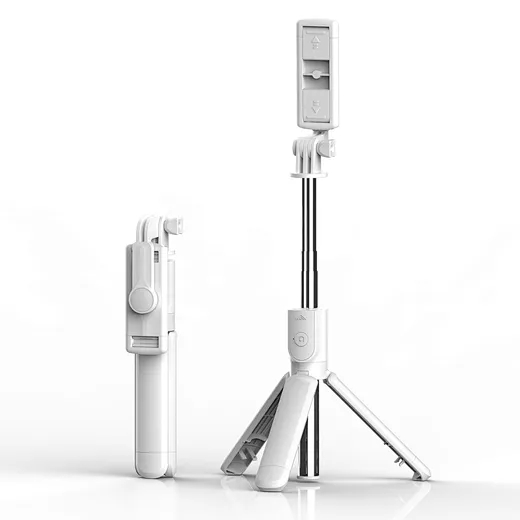
In the age of TikTok, Instagram Reels, and 24/7 live broadcasting, the Selfie Stick has evolved from a "tourist gadget" into an essential professional tool.
who invented selfie stick