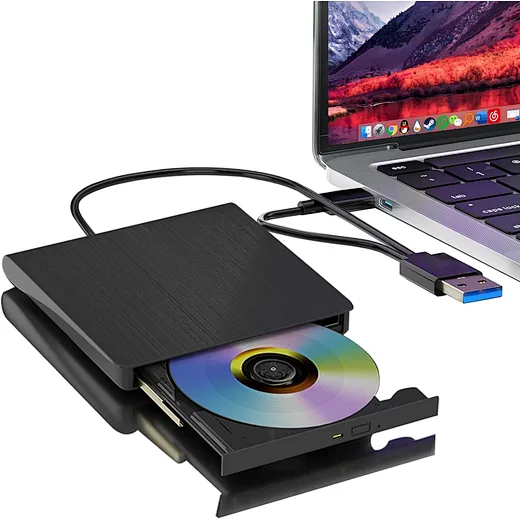
what is an external cd drive
author: LJ
2026-01-13
With modern devices ditching built-in optical drives for slim designs and portability, an external cd drive has become the go-to solution for anyone who needs to access CDs, DVDs, or burn physical media.
This 2025 news guide answers what is an external cd drive in plain terms, breaks down its key features and uses, and explains why it’s a must-have accessory for many users.
Core Answer: What Is an External CD Drive?
Simply put, an external cd drive is a portable, plug-and-play hardware device that connects to your laptop, desktop, or tablet via USB (usually USB-C or USB-A) to read and write data to CDs, DVDs, and often Blu-rays.
Core Answer: What Is an External CD Drive?
Simply put, an external cd drive is a portable, plug-and-play hardware device that connects to your laptop, desktop, or tablet via USB (usually USB-C or USB-A) to read and write data to CDs, DVDs, and often Blu-rays.
Unlike the built-in optical drives found in older computers, an external cd drive is separate from your device—you only connect it when you need to use discs, then store it away when not in use.
At its core, an external cd drive does the same job as a built-in CD/DVD drive: it uses a laser to read data from existing discs (like music CDs, movie DVDs, or old software discs) and can burn (write) data to blank discs.
At its core, an external cd drive does the same job as a built-in CD/DVD drive: it uses a laser to read data from existing discs (like music CDs, movie DVDs, or old software discs) and can burn (write) data to blank discs.
The key difference is portability and compatibility—modern external cd drives work with nearly all devices (Windows, macOS, even some Chromebooks) and are designed to be lightweight and compact.

Key Features of a Modern External CD Drive
To fully understand what is an external cd drive, it helps to know its core features—these set it apart from outdated built-in drives and make it useful for 2025 users:
· Plug-and-play convenience: No complex setup or driver downloads (for most systems). Just connect the external cd drive to your device’s USB port, and it’s ready to use in 10–15 seconds. Windows and macOS automatically recognize it, just like a USB drive.
·Dual connectivity: Most modern external cd drives come with both USB-C and USB-A cables (or adapters), making them compatible with new laptops (which use USB-C) and older devices (USB-A). This versatility eliminates the need for extra accessories.
·Multi-format support: Beyond CDs, mostexternal cd drives can read and write DVDs (4.7GB–8.5GB storage) and some even Blu-rays (25GB–100GB). This makes them useful for everything from old music CDs to high-definition movie DVDs and large data backups.
· Portable design: Slim (usually under 1 inch thick) and lightweight (under 8 ounces), an external cd drive fits easily in a backpack, purse, or laptop bag. You can take it anywhere—perfect for students, professionals, or anyone who needs disc access on the go.
· Burning capabilities: Most external cd drives are “burners,” meaning they can write data to blank CDs/DVDs/Blu-rays. This is critical for archiving photos, creating custom music mixes, or backing up important files to physical media (a secure alternative to cloud storage).

Who Needs an External CD Drive? (And Why It Matters in 2025)
Now that you know what is an external cd drive, you might be wondering if you need one. Here are the most common user types who benefit from this accessory:
1. Users with Modern Laptops (No Built-In Drive)
Nearly all laptops (Windows and macOS) sold since 2015 lack built-in CD/DVD drives. If you have a MacBook, Dell XPS, HP Spectre, or any slim laptop, an external cd drive is the only way to access old CDs/DVDs (like family photo discs, vintage software, or college project files).
Now that you know what is an external cd drive, you might be wondering if you need one. Here are the most common user types who benefit from this accessory:
1. Users with Modern Laptops (No Built-In Drive)
Nearly all laptops (Windows and macOS) sold since 2015 lack built-in CD/DVD drives. If you have a MacBook, Dell XPS, HP Spectre, or any slim laptop, an external cd drive is the only way to access old CDs/DVDs (like family photo discs, vintage software, or college project files).
It’s a simple fix for the “no disc slot” problem without buying a new computer.
2. Retro Media Enthusiasts
If you have a collection of music CDs, movie DVDs, or old game discs, an external cd drive lets you revisit them on modern devices. You can play your favorite 90s music CDs, watch classic DVDs, or install retro PC games that aren’t available digitally.
2. Retro Media Enthusiasts
If you have a collection of music CDs, movie DVDs, or old game discs, an external cd drive lets you revisit them on modern devices. You can play your favorite 90s music CDs, watch classic DVDs, or install retro PC games that aren’t available digitally.
Many enthusiasts also use external cd drives to digitize their collections (copy files to their laptop) for long-term preservation.
3. Professionals & Students
Many industries (legal, medical, education) still use CDs/DVDs to share large files, distribute software, or submit documents. For example, law firms may send case files on DVDs, and some colleges still provide course materials on CDs.
3. Professionals & Students
Many industries (legal, medical, education) still use CDs/DVDs to share large files, distribute software, or submit documents. For example, law firms may send case files on DVDs, and some colleges still provide course materials on CDs.
An external cd drive ensures you can access these materials without relying on a shared office computer with a built-in drive.
4. Anyone Who Prefers Physical Backups
Cloud storage is convenient, but it’s vulnerable to hacks, internet outages, and subscription fees. Physical media (CDs/DVDs) are offline, secure, and long-lasting—some M-DISC DVDs (supported by many external cd drives) preserve data for up to 1,000 years.
An external cd drive lets you burn backups of important photos, documents, or videos to discs, giving you peace of mind.

How an External CD Drive Works (Simplified)
Understanding what is an external cd drive is easier when you know how it works—and it’s surprisingly simple:
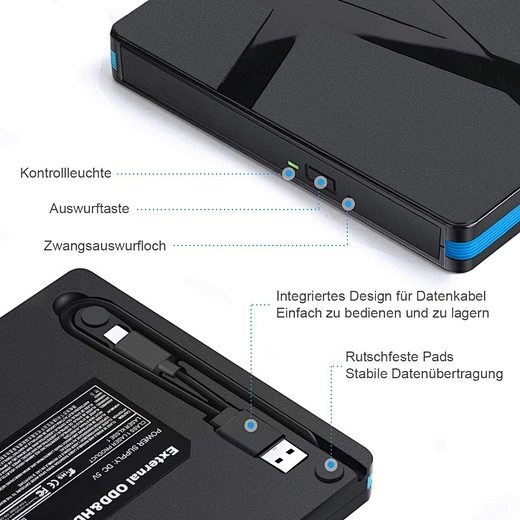
1. Connect the drive: Plug the external cd drive into your device’s USB port using the included cable. The drive powers on automatically (most are USB-powered, no extra power adapter needed).
2. Insert a disc: Press the eject button on the drive to open the tray, place a CD/DVD/Blu-ray on the tray (align it with the inner circle), and close the tray gently.
3. Read/write data: Your device recognizes the drive instantly. To read a disc, open File Explorer (Windows) or Finder (macOS) and click on the drive icon—you’ll see all the files on the disc.
To burn a disc, use built-in tools (Windows Media Player, macOS Disk Utility) or free software (VLC, ImgBurn) to select files and start burning.
4. Disconnect when done: Eject the disc, then safely disconnect the external cd drive from your device (right-click the drive icon and select “Eject” to avoid data loss).
FAQ: Common Questions About External CD Drives
Q: What is an external cd drive’s compatibility with different devices?
A: Most external cd drives work with Windows 10/11, macOS Sonoma/Ventura, and some newer Chromebooks (check Chrome OS compatibility first). They connect via USB-C or USB-A, so they’re compatible with nearly all modern laptops, desktops, and even some tablets (with a USB adapter).
Avoid cheap models—they may not work with macOS or have spotty performance.
Q: Do I need special software to use an external cd drive?
A: No! Windows and macOS have built-in software to read and burn discs. For example, Windows uses File Explorer and Windows Media Player, while macOS uses Finder and Disk Utility.
If you need extra features (like playing Blu-rays or advanced burning tools), you can download free software like VLC or paid tools like Nero. The external cd drive itself requires no special software—just plug it in.
Q: Are external cd drives expensive?
A: No—most qualityexternal cd drives cost $30–$80. Basic CD/DVD models are on the lower end, while Blu-ray-compatible drives are pricier (around $60–$100).
It’s a one-time investment that’s far cheaper than buying a new computer with a built-in drive or paying for disc-to-digital conversion services.
Q: Can an external cd drive play Blu-rays?
A: Only if it’s labeled as a “Blu-ray drive”—standardexternal cd drives only play CDs and DVDs. Blu-rayexternal cd drives can read/write Blu-rays, CDs, and DVDs, making them all-in-one solutions for media enthusiasts.
Note that playing Blu-rays may require additional software (like PowerDVD) since Windows/macOS don’t have built-in Blu-ray playback tools.
Final Thoughts: An External CD Drive Is a Versatile Modern Accessory
Now you have a clear answer to what is an external cd drive: a portable, plug-and-play tool that restores disc-reading/writing capabilities to modern devices without built-in drives.
Whether you need to access old CDs, burn backups, or work with physical media for school or work, an external cd drive is a practical, affordable solution.
Ready to find the right external cd drive for your needs? Look for models with dual USB connectivity, multi-format support, and positive user reviews.
With the right drive, you’ll never have to let your CD/DVD collection collect dust or miss out on important disc-based content again.
can you connect an external cd drive to an ipad
how to burn a cd
Related Article
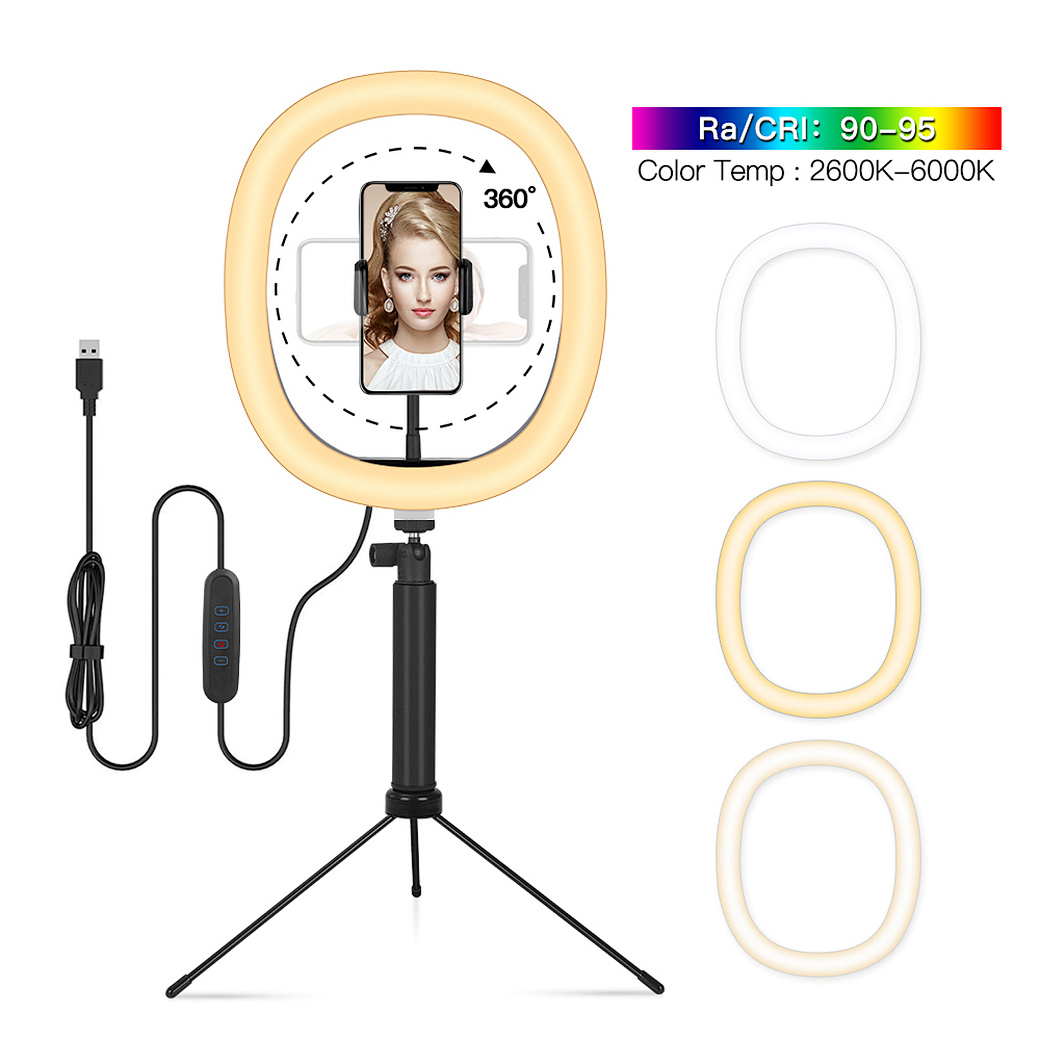
Confused about how to fix half moon wall light? Our simple quick tips help you troubleshoot common issues and get your cozy fixture working again fast.
how to fix half moon wall light
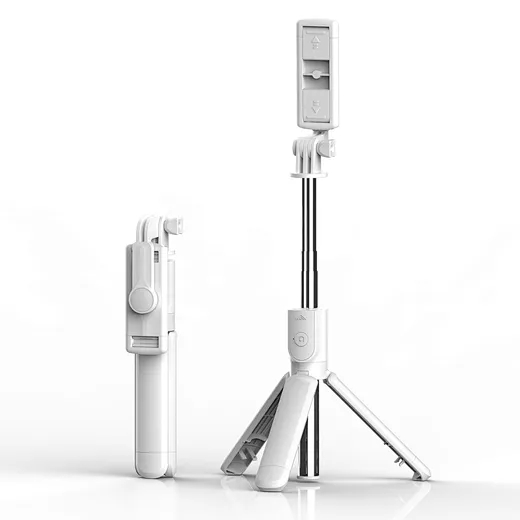
In the age of TikTok, Instagram Reels, and 24/7 live broadcasting, the Selfie Stick has evolved from a "tourist gadget" into an essential professional tool.
who invented selfie stick