What is an Optical Drive
author: LJ
2025-12-18
What is an Optical Drive?
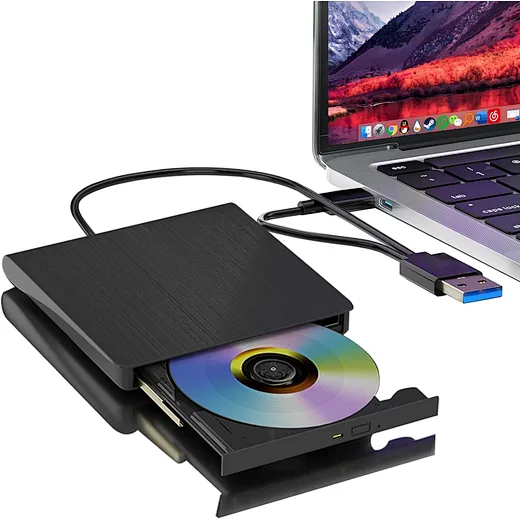
An optical drive (also known as an Optical Disc Drive or ODD) is a piece of computer hardware that uses laser light or electromagnetic waves to read and write data on optical discs. Common media formats used with these drives include CDs, DVDs, and Blu-ray discs. Optical drives allow you to install software, watch movies, play legacy games, and back up data to physical discs.
An optical drive (also known as an Optical Disc Drive or ODD) is a piece of computer hardware that uses laser light or electromagnetic waves to read and write data on optical discs. Common media formats used with these drives include CDs, DVDs, and Blu-ray discs. Optical drives allow you to install software, watch movies, play legacy games, and back up data to physical discs.

How Does an Optical Drive Work?
While modern SSDs use flash memory, optical drives rely on physical movement and light.
The Laser: Inside the drive, a laser lens projects an electromagnetic beam onto the rotating disc.
Reading Data: The disc has microscopic pits and lands (flat areas). The laser measures the reflection of light off these surfaces, translating them into binary data (0s and 1s) that your computer understands.
Writing (Burning) Data: When "burning" a disc, a more powerful laser melts or alters the chemical dye layer on the disc to create new pits, effectively saving your files.
Types of Optical Drives
Understanding the different types is key to choosing the right one.
1. Internal vs. External Optical Drives
Internal Optical Drives: These are installed directly into a drive bay inside a desktop PC case (usually 5.25-inch) and connect via a SATA cable. They offer faster data transfer speeds but are rarely found in modern laptops.
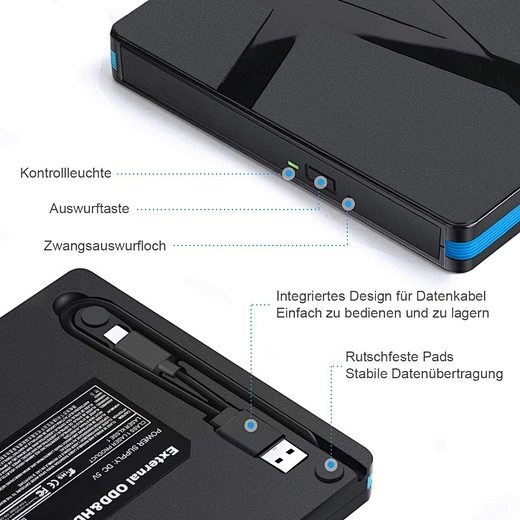
External Optical Drives: These connect via USB. They are portable, convenient, and perfect for ultra-thin laptops (like MacBook Air or Ultrabooks) that lack built-in drives.
2. Format Compatibility
CD-ROM/RW: Can only read/write CDs (700MB capacity). Obsolete.
DVD-RW (Super Multi): Can read/write both CDs and DVDs (4.7GB to 8.5GB). This is the standard for most older PCs.
Blu-ray Drive (BD-ROM/RW): Capable of reading/writing CDs, DVDs, and High-Definition Blu-ray discs (25GB to 100GB+). Essential for 4K movie enthusiasts.
Do You Still Need an Optical Drive in 2025?
This is the most common question we get. With Steam, Spotify, and Netflix dominating the market, is an optical drive necessary?
You SHOULD get an optical drive if:
You have a physical collection: You own a large library of DVD movies or old PC games on discs.
Long-term Archiving: You want to "cold store" photos or documents offline. Optical discs (especially M-Discs) are immune to ransomware and magnetic failure.
Home Theater: You want to watch 4K UHD Blu-rays on your PC without compression artifacts from streaming.
Legacy Systems: You work with older equipment (like medical or industrial machines) that still require driver CDs.
You probably DON'T need one if:
You only play modern games (downloaded via Steam/Epic Games).
You use cloud storage (Google Drive, Dropbox) or USB drives for file transfers.
You possess a modern PC case that doesn't even have a slot (bay) for a drive.
What to Look for When Buying an Optical Drive
If you’ve decided to buy one, keep these specs in mind:
Interface: USB 3.0 or USB-C is recommended for external drives to ensure speed.
Read/Write Speed: Look for "24x" for DVDs or "16x" for Blu-rays. Higher numbers mean faster burning times.
M-Disc Support: If you are backing up precious photos, ensure the drive supports M-Disc technology for data that lasts 1,000 years.
Conclusion
While the optical drive is no longer a mandatory component for every computer, it remains a vital tool for media enthusiasts and data archivists. Whether you choose a sleek external USB drive or a powerful internal Blu-ray burner, understanding what an optical drive is helps you make the best decision for your setup.
While modern SSDs use flash memory, optical drives rely on physical movement and light.
The Laser: Inside the drive, a laser lens projects an electromagnetic beam onto the rotating disc.
Reading Data: The disc has microscopic pits and lands (flat areas). The laser measures the reflection of light off these surfaces, translating them into binary data (0s and 1s) that your computer understands.
Writing (Burning) Data: When "burning" a disc, a more powerful laser melts or alters the chemical dye layer on the disc to create new pits, effectively saving your files.
Types of Optical Drives
Understanding the different types is key to choosing the right one.
1. Internal vs. External Optical Drives
Internal Optical Drives: These are installed directly into a drive bay inside a desktop PC case (usually 5.25-inch) and connect via a SATA cable. They offer faster data transfer speeds but are rarely found in modern laptops.
External Optical Drives: These connect via USB. They are portable, convenient, and perfect for ultra-thin laptops (like MacBook Air or Ultrabooks) that lack built-in drives.
2. Format Compatibility
CD-ROM/RW: Can only read/write CDs (700MB capacity). Obsolete.
DVD-RW (Super Multi): Can read/write both CDs and DVDs (4.7GB to 8.5GB). This is the standard for most older PCs.
Blu-ray Drive (BD-ROM/RW): Capable of reading/writing CDs, DVDs, and High-Definition Blu-ray discs (25GB to 100GB+). Essential for 4K movie enthusiasts.

Do You Still Need an Optical Drive in 2025?
This is the most common question we get. With Steam, Spotify, and Netflix dominating the market, is an optical drive necessary?
You SHOULD get an optical drive if:
You have a physical collection: You own a large library of DVD movies or old PC games on discs.
Long-term Archiving: You want to "cold store" photos or documents offline. Optical discs (especially M-Discs) are immune to ransomware and magnetic failure.
Home Theater: You want to watch 4K UHD Blu-rays on your PC without compression artifacts from streaming.
Legacy Systems: You work with older equipment (like medical or industrial machines) that still require driver CDs.
You probably DON'T need one if:
You only play modern games (downloaded via Steam/Epic Games).
You use cloud storage (Google Drive, Dropbox) or USB drives for file transfers.
You possess a modern PC case that doesn't even have a slot (bay) for a drive.
What to Look for When Buying an Optical Drive
If you’ve decided to buy one, keep these specs in mind:
Interface: USB 3.0 or USB-C is recommended for external drives to ensure speed.
Read/Write Speed: Look for "24x" for DVDs or "16x" for Blu-rays. Higher numbers mean faster burning times.
M-Disc Support: If you are backing up precious photos, ensure the drive supports M-Disc technology for data that lasts 1,000 years.
Conclusion
While the optical drive is no longer a mandatory component for every computer, it remains a vital tool for media enthusiasts and data archivists. Whether you choose a sleek external USB drive or a powerful internal Blu-ray burner, understanding what an optical drive is helps you make the best decision for your setup.
How Do I Burn a CD from a CD
How to Use External DVD Drive on Windows 11
Related Article

Confused about how to fix half moon wall light? Our simple quick tips help you troubleshoot common issues and get your cozy fixture working again fast.
how to fix half moon wall light
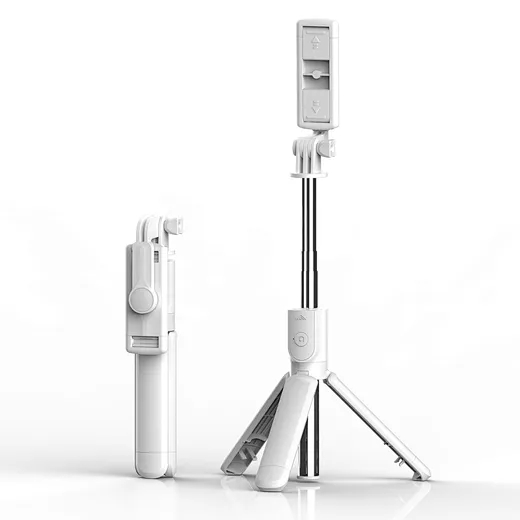
In the age of TikTok, Instagram Reels, and 24/7 live broadcasting, the Selfie Stick has evolved from a "tourist gadget" into an essential professional tool.
who invented selfie stick